Apple Watch Ovulation Estimates: How They Work
Apple Watch doesn't tell you when you're about to ovulate. It tells you, afterward, that you probably already did. Here's how the wrist temperature sensor gets there, what setup it needs, and where the native Cycle Tracking layer stops.
Quick Answer: How Apple Watch Estimates Ovulation
Apple Watch estimates ovulation after the fact. Series 8 and later, and every Apple Watch Ultra, read wrist temperature overnight and look for the biphasic shift, a temperature rise that often follows ovulation. After about two cycles of wearing it to sleep, the Health app can mark a retrospective estimate as a light purple oval in your fertile window.[2]
The estimate is retrospective by design: the temperature rise it looks for comes after the egg is released, so the watch can only confirm, not forecast. Apple says ovulation estimates are estimates only and do not guarantee that ovulation occurred, and that Cycle Tracking should not be used as a form of birth control.[2][3]
Educational content about how the technology works, not medical advice. For personal or fertility concerns, please consult your doctor. Veya is not affiliated with Apple Inc.
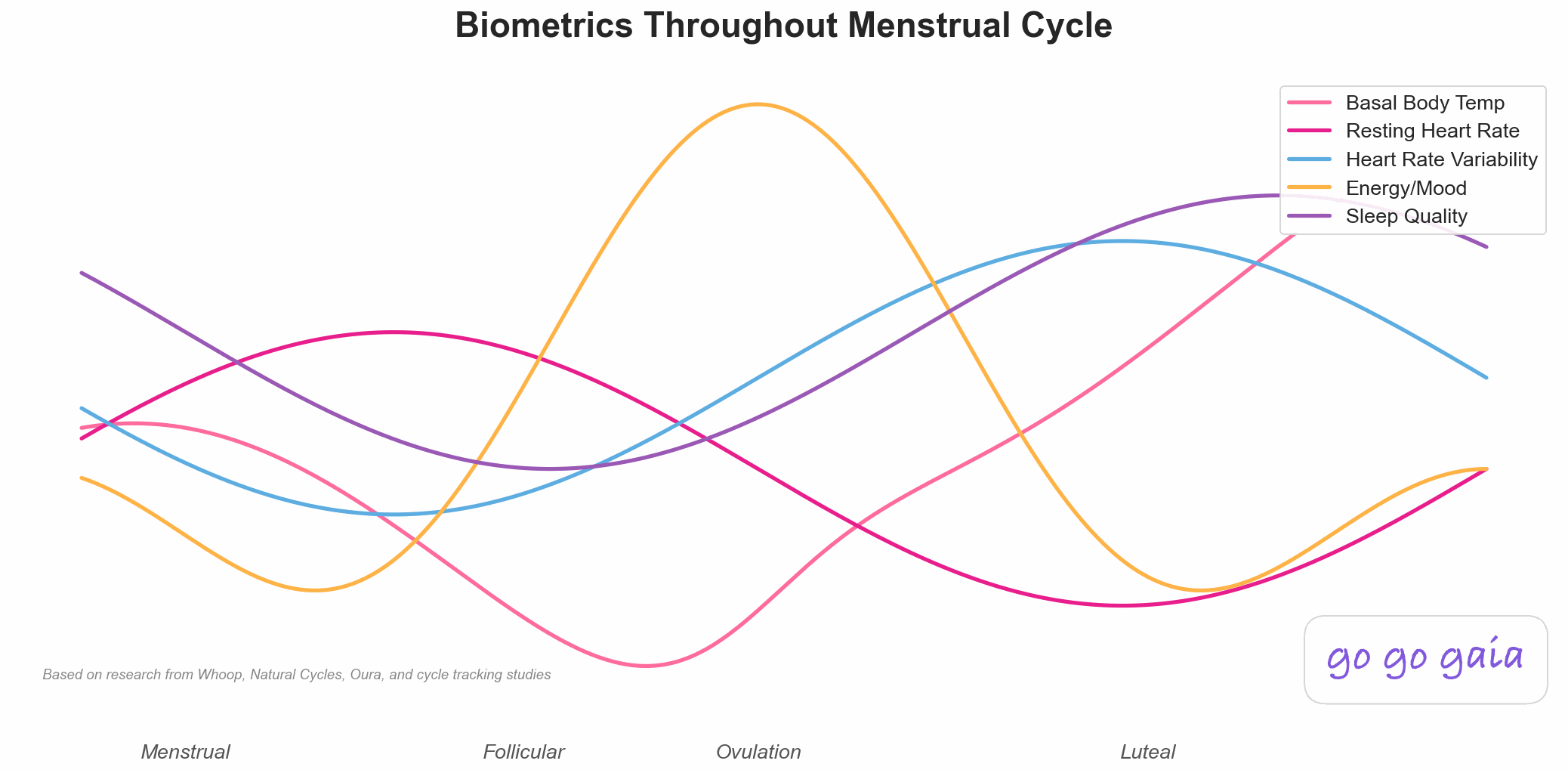
The biphasic temperature shift Apple Watch's wrist sensors are built to detect, always a step behind the event itself.
After ovulation, some Apple Watch owners see a small purple oval appear on their fertile window in the Health app. It's easy to read that as a live prediction. It isn't. It's a retrospective estimate, built from wrist temperature data collected while you were asleep and your logged cycle data, and it's telling you about something that already happened.[2]
This page walks through the mechanism behind that estimate: the sensor, the setup requirements, and the native Cycle Tracking layer it plugs into. For the broader picture of how temperature-based detection works across brands, see our explainer on how wearables detect your cycle. And if you're weighing Apple's free, on-device option against a dedicated tracking app, our Flo vs Apple Health comparison covers what each one adds beyond what's described here.
How does Apple Watch measure wrist temperature?
Apple describes two temperature sensors, one on the back crystal near your skin and one just under the display, a layout meant to limit the influence of the surrounding environment.[1] While you sleep, the watch samples your temperature every five seconds. After about five nights it establishes your baseline wrist temperature and looks for nightly changes relative to it.[1]
That's the same baseline-and-deviation approach behind every wearable cycle feature: collect nightly data, learn what your own pattern looks like, then watch for a departure from it that's big enough and sustained enough to mean something.
What does Apple Watch need before it shows an ovulation estimate?
Apple is specific about the setup required before the watch will surface a retrospective ovulation estimate. According to Apple's support documentation, you need:[2]
- A compatible watch: Apple Watch Series 8 or later, or any model of Apple Watch Ultra.
- Cycle Tracking set up with fertility predictions enabled and no ongoing cycle factors logged. Apple lists Pregnancy, Lactation and Contraceptive as cycle factors.[5]
- Sleep Focus enabled for at least 4 hours a night for 5 nights, to get accurate wrist temperature data.
- About 2 menstrual cycles of wearing the watch to sleep each night with Sleep Focus enabled before estimates become available.
That 2-cycle runway is the same baseline-building logic every temperature-based system needs. Apple notes that for some cycles there may not be enough wrist temperature data to estimate ovulation, and that you'll need to wear a new or repaired watch for at least 2 cycles before it can give a new estimate.[2]
Why the Estimate Always Arrives After the Fact
This is the part that trips people up most. Apple says the watch uses wrist temperature to detect the biphasic shift, an increase in temperature that often occurs after ovulation, and that algorithms combine that data with your logged cycle data to estimate the day ovulation likely occurred.[2] The rise is tied to progesterone, which climbs once the corpus luteum forms after the egg is released (see our luteal phase entry). So the watch can only place the estimate once the shift has shown up in the data.
In the Health app, that shows up as a light purple oval in your fertile window.[2] Apple's own language is careful: ovulation estimates are estimates only and do not guarantee that ovulation has occurred. Ovulation may also happen without a biphasic shift, or the shift may be too small to provide an estimate, and ovulation may not occur every cycle.[2]
Can you use Apple Watch ovulation estimates as birth control?
No. Apple's Cycle Tracking instructions for use say not to use the predicted fertile windows or ovulation estimates as a form of birth control, and its support page says the same.[2][3] That's worth repeating rather than glossing over, since a fertile-window estimate can look precise enough to lean on.
Natural Cycles is a separate product built for that purpose. The FDA granted it De Novo classification as a software application for contraception, with its own validated algorithm.[4] Apple's native Cycle Tracking carries no such classification and tells you not to use it that way.
Worth knowing: Apple's own disclaimer says ovulation estimates are estimates only and don't guarantee that ovulation occurred, so treat them as informational either way.
Does Apple Watch cycle tracking show how your period affects sleep?
Not directly, based on Apple's support pages. They describe Cycle Tracking as logging periods and symptoms, predicting a fertile window, and using wrist temperature to estimate ovulation, and they don't describe an analysis of sleep by cycle phase.[5] Sleep and wrist temperature are recorded by the watch, but the cycle features Apple documents don't turn them into a "sleep across your cycle" view.
| Feature | Described by Apple? |
|---|---|
| Period and symptom logging | Yes. You can track symptoms, spotting, basal body temperature and more[5] |
| Fertile window prediction | Yes. A six-day window based on a calendar method[5] |
| Retrospective ovulation estimate | Yes, on Series 8 or later and Ultra models, from wrist temperature[2][5] |
| Sleep or mood analysis by cycle phase | Not described on these pages[5] |
That gap is where a logging app still earns its place next to a watch that's already doing the temperature math. A tracking app like Veya can pull in Apple Watch data alongside the symptoms and mood you log by hand, so a wrist temperature shift sits next to the fact that you also logged cramps or low energy that week.
Your watch gives you the temperature estimate and stops there. Veya reads the same Apple Health data, including sleeping wrist temperature, HRV and resting heart rate, and sets it next to the cycle, symptoms, mood and sleep you log, so you can see your own pattern phase by phase. It sits alongside the watch's estimate and adds the context around it. See how Veya handles Apple Watch cycle tracking or try it in the browser.
The Short Version
- Series 8 and later, and all Ultra models, sample wrist temperature every five seconds overnight through two sensors.
- The watch needs about 2 cycles of wearing it to sleep, with Sleep Focus enabled, before estimates become available.
- Detection is retrospective: the temperature shift is read after ovulation, and Apple says the estimates don't guarantee ovulation occurred.
- Apple says Cycle Tracking should not be used as birth control. Natural Cycles is the separate, FDA-cleared product for that purpose.
- Apple's support pages describe logging, predictions and the temperature estimate, not a sleep or mood analysis by cycle phase.
Frequently Asked Questions
Educational information based on published sources. Not medical advice. For personal concerns, please consult your doctor.
Can Apple Watch predict ovulation in advance?
No. Apple Watch gives retrospective ovulation estimates: it detects the biphasic shift, a temperature rise that often occurs after ovulation, and estimates the day ovulation likely occurred. Apple says the estimates don't guarantee ovulation has occurred.[2]
Which Apple Watch models support ovulation estimates?
Apple Watch Series 8 or later, or any model of Apple Watch Ultra.[2] Ovulation estimates are also only available in certain countries and regions.[2]
Why does Apple Watch need 2 cycles before it gives an ovulation estimate?
Apple says it takes about 2 menstrual cycles of wearing the watch to sleep each night, with Sleep Focus enabled, for ovulation estimates to be available. Sleep Focus needs to be on for at least 4 hours a night for 5 nights to get accurate wrist temperature data.[2]
Is Apple Watch cycle tracking a form of birth control?
No. Apple's instructions for use say not to use the predicted fertile windows or ovulation estimates as a form of birth control.[3] Natural Cycles is a separate app that the FDA granted De Novo classification as a software application for contraception.[4]
Does Apple Watch cycle tracking show how your period affects sleep?
Apple's support pages describe period and symptom logging, fertile window predictions and the wrist-temperature ovulation estimate, and they don't describe a sleep analysis by cycle phase.[5]
Why is my Apple Watch ovulation estimate missing some cycles?
Apple lists several reasons: there may not be enough wrist temperature data for that cycle, wrist temperature can be affected by environmental or physiological factors, ovulation may have happened without a biphasic shift or with a shift too small to use, or ovulation may not have occurred that cycle.[2]
A retrospective estimate is a data point, not the whole story.
Apple Watch confirms a temperature shift after it happens. It won't tell you what else was going on that week. Sync your data and log symptoms and mood alongside it to see the fuller picture.
Log One Cycle Alongside Your Apple WatchLogging takes a few seconds a day.
References
- Apple Inc. Track your nightly wrist temperature changes with Apple Watch. Apple Support, accessed October 2026. support.apple.com/en-us/102674
- Apple Inc. Receive retrospective ovulation estimates on Apple Watch. Apple Support, accessed October 2026. support.apple.com/en-us/120357
- Apple Inc. Cycle Tracking Instructions for Use. apple.com/legal/ifu/cycle-tracking
- U.S. Food and Drug Administration. De Novo Classification Request for Natural Cycles (DEN170052). accessdata.fda.gov/cdrh_docs/reviews/DEN170052.pdf
- Apple Inc. Track your period with Cycle Tracking. Apple Support, accessed October 2026. support.apple.com/en-us/120356
Related Reading
Flo vs Apple Health Cycle Tracking: What You Give Up
What Apple's free, native cycle tracking covers, and what a dedicated app like Flo adds on top.
How Wearables Detect Your Cycle: The Tech Explained
The full mechanism across Oura, Apple Watch, and Natural Cycles: baseline, deviation, and why detection is always a step behind.
Oura Cycle Insights & Readiness: What They Measure
The same temperature-deviation idea, built into a finger sensor instead of a wrist sensor.
Oura vs Apple Watch for Cycle Tracking (2026)
Wrist sensor vs finger sensor head-to-head, plus how Natural Cycles fits into either one.
How to Tell If You're Ovulating
The signs of ovulation and what temperature, LH tests, and cervical mucus each tell you.