Veya works in your browser too
You don't need an iPhone to use Veya. The web app at app.myveya.com runs in any browser, on a laptop, a tablet or an Android phone. The iPhone app is still the full experience, and this page shows where the two differ.
Download VeyaNot on iPhone? Try it in the browser at app.myveya.com.

On a computer?
Scan to download on your phone.
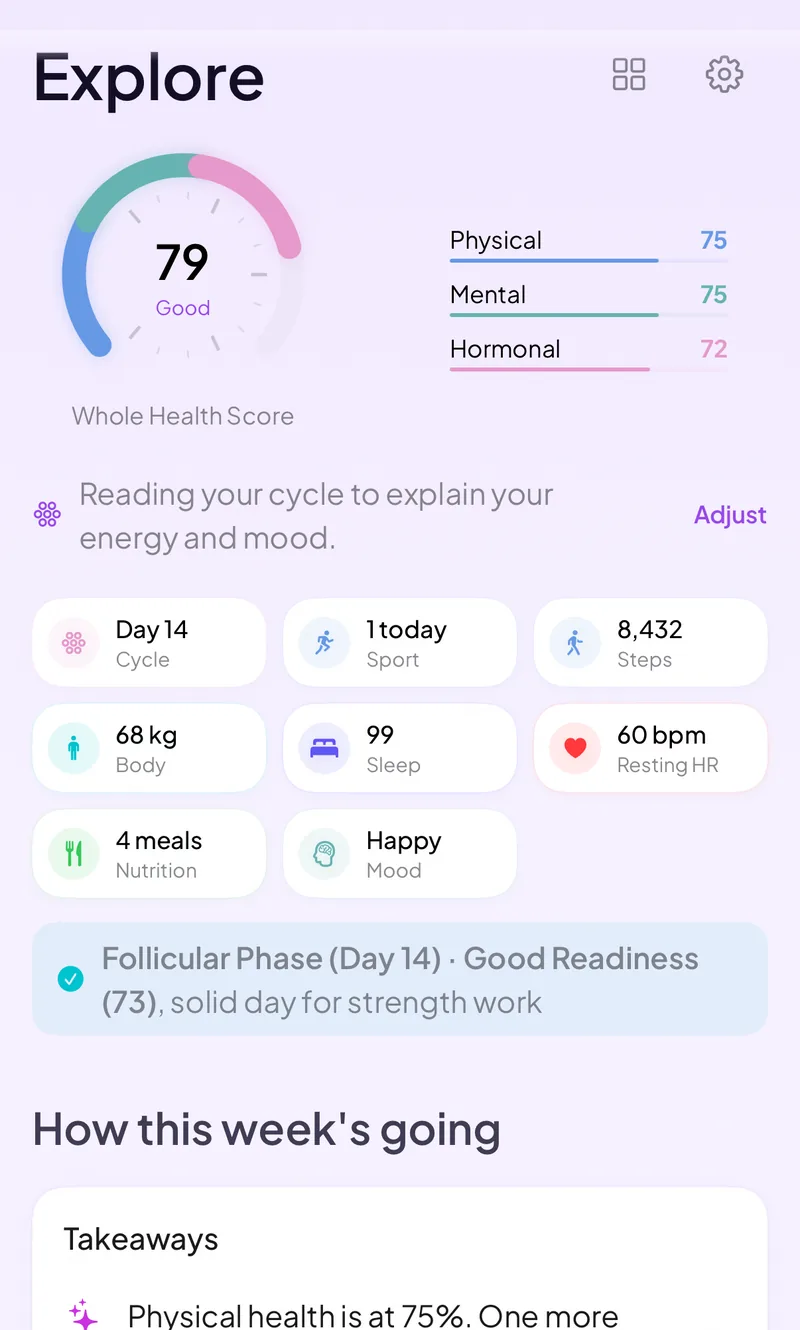
What the web app does
Sign in at app.myveya.com and you get a dashboard for today, a calendar, and trends and insights that look across your logs. From the sidebar you can open cycle and hormones, mind and wellness, nutrition, fitness, lab results, medications, symptoms, a body map, goals, habits and partner sharing.
A quick log button covers the daily basics: mood, symptoms, water and meals. You can do all of it from a desktop browser or a phone browser.
Bring your history in
The Add data page is built for getting existing history into Veya, so the patterns have more to work with.
- Lab reports and scans: drag in PDFs, photos or DEXA scans and Veya reads the values and files them under the right test.
- Bulk lab history: import years of bloodwork from a spreadsheet as a CSV.
- Cycle history: switching from another period tracker? Upload a screenshot of its calendar and Veya pulls in your past cycles.
- Wearables: Oura and Withings connect directly, and the rest are marked coming soon. On iPhone, Apple Watch, Oura, WHOOP and Garmin data arrives through Apple Health.
What needs the iPhone app
Apple Health syncs through the Veya iPhone app only. There is no Apple Health connection on the web. If you want sleep, heart rate variability and temperature to flow in from an Apple Watch automatically, that part needs the iOS app.
On Android, the browser is the way in. Use the web app for logging, importing and reading your patterns.
Frequently asked questions
Try Veya in your browser
Open the web app, add a little history, and see what Veya finds. Or get the iPhone app for Apple Health.
Download VeyaNot on iPhone? Use the web app in any browser.
Related pages
Your data and privacy · How predictions work · Cycle syncing · All conditions