Best App to Track Sleep and Your Cycle in 2026
Quick Answer: Which App Should You Use?
For detailed Apple Watch sleep data, pick AutoSleep. For linking sleep to habit tags, pick SleepWatch. For multi-factor correlation, pick Bearable. For a privacy-minded cycle tracker with sleep tags, pick Clue. For sleep and cycle logged together on iPhone, Veya fits. No app was built only to match sleep to cycle phase. Here are the picks by use case:
- For detailed Apple Watch sleep data: AutoSleep. Detailed sleep stages, HRV, and respiratory rate, no cycle tracking
- For linking sleep to habit tags: SleepWatch. Automatic sleep tracking with lifestyle tags
- For deep multi-factor correlation: Bearable. Strong correlation tooling, cycle as an optional module
- For a privacy-first cycle tracker with sleep tags: Clue. Clean, cycle-first, custom tags for sleep quality
- For sleep and cycle tracked together automatically: Veya. Cycle, sleep, mood, symptoms, and habits in one app with correlation insights
You sleep fine most of the month, then the week before your period you're wide awake at 2am for no obvious reason. If that sounds familiar, this guide covers what's known about sleep and the menstrual cycle, 5 apps for tracking sleep and your cycle together, and what to log so you can see your own pattern instead of guessing.
Full Transparency
This guide is published by Holland Neurotech Inc., the company behind Veya. Veya is one of the five apps compared here. We included it because we think it's a strong option for this use case, and we've been honest about its limitations too. Every app on this list has real strengths, and the best one for you depends on how you already sleep-track and how much you want your cycle in the same view. If you want to line a bedtime up with 90-minute sleep cycles, the free sleep calculator will suggest one.
How We Picked These Apps
We shortlisted the 5 apps compared below from what people actually use to track sleep and connect it to their cycle, weighing how the app captures sleep (automatic via wearable vs. manual rating), whether it tracks cycle phase at all, and whether it surfaces the connection between the two for you. Prices and features were checked against each app's App Store listing or pricing page in October 2026.
Full disclosure: this site is published by Holland Neurotech Inc., the maker of Veya. The list isn't ranked, each app is presented as the fit for a specific need, and we say plainly when a competitor is the better choice.
Medical Disclaimer
This article is for educational and informational purposes only and does not constitute medical advice. It can't diagnose insomnia, a sleep disorder, or any other condition, and it isn't a substitute for a sleep study or a conversation with your doctor. Tracking apps record patterns, they don't treat anything. Always talk with your doctor or a qualified healthcare provider about ongoing sleep problems or changes in your cycle. Individual experiences vary, and what's typical for one person may not be typical for another.
Does sleep quality really change across your cycle?
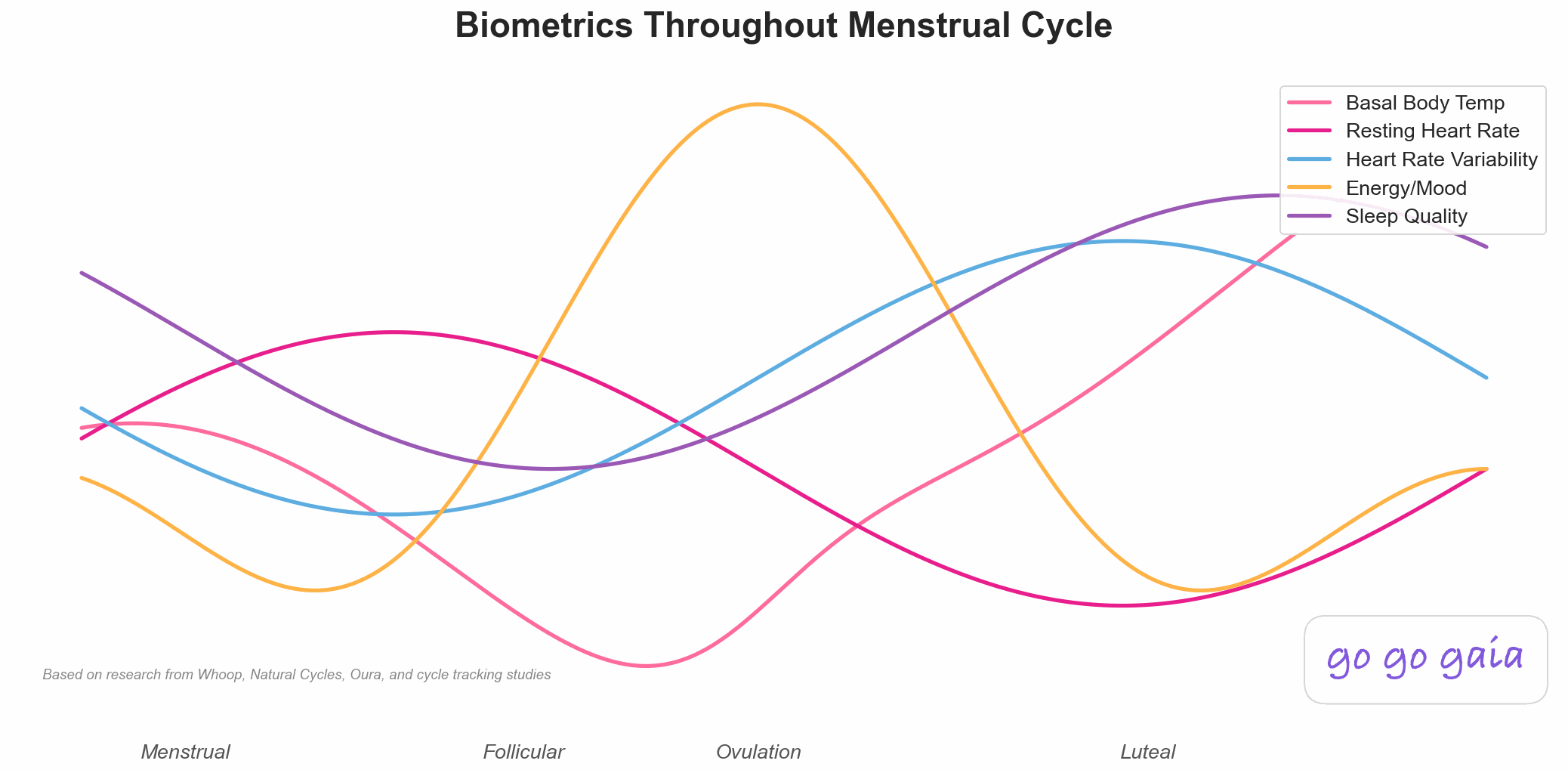
Sleep quality may shift across the menstrual cycle for some people, and research on it is mixed. According to the Sleep Foundation, hormonal changes during the luteal phase, the stretch of days between ovulation and your period, are linked to lighter, more broken sleep for many women.
The likely mechanism involves progesterone and body temperature. Progesterone rises after ovulation and is associated with a small rise in core body temperature during the luteal phase, and a warmer body can make sleep feel lighter and easier to wake from. Falling estrogen and progesterone in the last few days before a period are also tied to symptoms like mood changes, bloating, and breast tenderness, any of which can make it harder to fall or stay asleep.
Mayo Clinic lists trouble sleeping among the symptoms commonly associated with premenstrual syndrome, alongside fatigue, irritability, and appetite changes. Not everyone experiences a sleep dip before their period, and for those who do, how strong it is varies a lot. That range is exactly why tracking your own cycles tells you more than any general statement can.
Two different things can look alike in a log: sleep that dips only in the days before a period, and sleep trouble that shows up regardless of where you are in your cycle. Tracking is what lets you tell them apart, and either way the record is useful to have when you talk to a doctor about your sleep.
How We Compared These Apps
We compared each app on its App Store listing, published pricing, privacy policy, and recent user reviews, all checked in October 2026. We did not run a clinical study, and we haven't hands-on tested every feature of every app. Full disclosure: we make Veya, one of the five apps here.
For this use case, we weighted four things most heavily: how sleep gets logged (automatic via a wearable beats manual entry for consistency), whether the app tracks cycle phase at all, whether it connects sleep to cycle phase without you doing the comparison by hand, and how good the free tier actually is.
The 5 Apps Compared
The five apps below split into two groups: sleep specialists with no cycle awareness (AutoSleep, SleepWatch) and cycle-aware trackers you can use for sleep too (Bearable, Clue, Veya). None was built specifically to correlate the two from day one. The right setup depends on whether sleep detail or cycle context matters more to you.
For Detailed Apple Watch Sleep Data: AutoSleep
Good fit if you want: Detailed automatic sleep tracking from your Apple Watch, without a cycle tracker attached.
Key Features
- Fully automatic sleep tracking using Apple Watch wrist detection, no manual start or stop
- Detailed sleep stage estimates (deep, core, REM), heart rate, HRV, and respiratory rate during sleep
- Sleep quality score and long-term trend graphs
- Nap detection and time-in-bed vs. time-asleep breakdown
Strengths
- A detailed Apple Watch sleep tracker. If sleep-stage detail is what you want, AutoSleep is built for it
- No daily logging required once it's set up
- One-time purchase rather than an ongoing subscription
Limitations
- No menstrual cycle tracking at all. You'd need a separate period tracker and line up dates yourself
- Requires an Apple Watch worn overnight, which not everyone finds comfortable
- The amount of data on screen can feel like a lot if you just want a simple answer
Who Should Choose This
- You already wear an Apple Watch to bed and want detailed sleep data
- You're comfortable cross-referencing a separate period app for cycle dates
- You want a one-time purchase instead of a subscription
Pricing
One-time purchase of $8.99 with no subscriptions, per the App Store listing as of October 2026. Available on iOS, requires Apple Watch.
For Linking Sleep to Habit Tags: SleepWatch
Good fit if you want: Automatic sleep tracking plus tags for the everyday habits that might be affecting it.
Key Features
- Automatic sleep tracking via Apple Watch or iPhone motion and heart rate sensing
- A SleepWatch Score, bedtime reminders, a smart alarm, and a snore score
- Habit tags with automated tag analysis, as the developer describes it
- Weekly and monthly trend views
Strengths
- Habit tags let you check whether something like an afternoon coffee or a late workout lines up with your worse nights, not just your cycle
- Works from iPhone alone if you don't have an Apple Watch, though accuracy improves with one
- Clean, approachable interface for a sleep-specific app
Limitations
- No menstrual cycle tracking. Cycle phase isn't a factor the app considers on its own
- Sleep stage detail is more basic than AutoSleep's
- Full trend history and some insights sit behind a subscription
Who Should Choose This
- You want to check habits like caffeine or screen time before assuming a sleep dip is hormonal
- You don't have an Apple Watch and want a sleep tracker that still works from your phone
- You're fine keeping cycle tracking in a separate app
Pricing
Free to download, with an optional Premium subscription of $4.99/month or $39.99/year per the App Store listing as of October 2026. Available on iOS.
For Deep Multi-Factor Correlation: Bearable
Good fit if you want: Thorough symptom-correlation tooling, with sleep and your cycle as two factors among many.
Key Features
- Sleep data import from Apple Health and Google Fit, plus manual sleep quality ratings
- Fully custom factors, so you can rate energy, stress, or anything else on scales you define
- "Impacts" view that correlates sleep, mood, and other factors with your outcomes over time
- Optional period tracking module
Strengths
- The correlation engine is a real strength. If you want to know how sleep relates to cycle day, stress, and exercise at once, this is built for that
- Generous free tier and strong App Store ratings (4.8/5 from about 6.5K iOS ratings, per the App Store listing as of October 2026)
- Works on Android as well as iOS
- States it will never sell your data (pricing page)
Limitations
- Setup takes real time. There are a lot of options to configure before the correlations become useful
- Cycle tracking is a module, not the core of the app, so there's no phase prediction or cycle-specific insight beyond what you log
- Sleep data comes from whatever your phone or wearable already tracks, Bearable doesn't do its own sleep sensing
Who Should Choose This
- You're tracking sleep alongside other conditions (anxiety, migraines, IBS) and want one log for everything
- Correlation depth matters more to you than cycle-specific features
- You need Android support
Pricing
Free (generous tier), Premium $34.99/year or $6.99/month (Bearable pricing page, as of October 2026). Available on iOS and Android.
For a Privacy-First Cycle Tracker With Sleep Tags: Clue
Good fit if you want: A clean, cycle-first tracker where sleep is one of several tags you note each day.
Key Features
- Cycle tracking with phase information and predictions
- Built-in sleep quality tracking alongside 200+ symptoms and experiences, per its App Store listing
- Custom tags for anything else you want to note
- Educational articles on cycles and symptoms (App Store listing)
Strengths
- Clue is based in Berlin, and its App Store listing says user data is protected under GDPR
- Clean, minimal interface that's quick to log in each day
- Sleep sits right next to your cycle data, so scrolling back through past cycles to spot a pattern is straightforward
- Cross-platform (iOS and Android)
Limitations
- Sleep logging is a daily tag, not automatic tracking. No sleep stages, no wearable-driven detail
- No correlation engine. You'll spot trends by reviewing past cycles yourself rather than getting a computed insight
- Free users see regular prompts to upgrade to Clue Plus
Who Should Choose This
- You want a cycle tracker first and a simple sleep note second
- Privacy is a top priority for you
- You're happy reviewing your own data for patterns rather than needing it surfaced for you
Pricing
Free (with upgrade prompts), Clue Plus $39.99/year (App Store listing, as of October 2026). Available on iOS and Android.
For Sleep and Cycle Tracked Together, Automatically: Veya
Good fit if you want: Sleep, cycle, mood, symptoms, and habits in one app, with correlation insights connecting sleep quality to cycle phase for you.
Key Features
- Passive wearable data (Apple Watch, Oura, Garmin, WHOOP) fills in sleep automatically, no manual logging needed
- Correlation insights that connect sleep to cycle phase, mood, and exercise, drawn from your own data
- Health Clues: save a hypothesis like "my sleep gets worse the week before my period" and the app checks it against your logged data over time
- Cycle tracking with phase context built in
- Cycle, mood, symptoms, and habits tracked in the same app as sleep

Strengths
- Sleep and cycle data live side by side automatically, so there's no manual date-matching to do
- Surfaces patterns like "sleep quality is lower in the 5 days before your period" instead of leaving you to eyeball a calendar
- Works with several wearable brands, not just Apple Watch
Limitations
- iOS only. No Android version yet
- Sleep-stage detail depends on the wearable it's pulling from, it doesn't run its own sleep-sensing algorithm the way AutoSleep does
- Newer app with a smaller community than Clue or the sleep specialists here
- Premium adds the Ask Veya assistant, unlimited habit and symptom tracking, and report exports ($9.99/month or $49.99/year on the App Store listing, as of October 2026)
Who Should Choose This
- You want sleep and cycle data together, with the pattern-finding done for you
- You wear an Apple Watch, Oura, Garmin, or WHOOP and want that sleep data included without extra effort
- You're on iPhone and prefer one app over juggling two or three
Pricing
Free (most features), Premium (Veya Pro) $9.99/month or $49.99/year for the Ask Veya assistant, unlimited habit and symptom tracking, and health report exports (App Store listing, as of October 2026). Available on the iOS App Store.
Feature Comparison Table
Quick read of the table: AutoSleep and SleepWatch give you detailed sleep-specific data but no cycle awareness, Clue gives you cycle context but light sleep detail, and Bearable and Veya are the two that connect the two automatically and analyze them for you. Here's the full picture (✅ full support, ⚠️ partial, 🔒 premium only, ❌ not available):
| Feature | AutoSleep | SleepWatch | Bearable | Clue | Veya |
|---|---|---|---|---|---|
| Cycle & phase tracking | ❌ None | ❌ None | ⚠️ Optional module | ✅ Core focus | ✅ With phase context |
| Automatic sleep tracking | ✅ Core focus | ✅ Core focus | ⚠️ Via Health app import | ⚠️ Basic Apple Health | ✅ Via wearable |
| Sleep stage detail (deep/REM) | ✅ Detailed | ⚠️ Basic | ⚠️ Imported only | ❌ None | ⚠️ Depends on wearable |
| Custom sleep-related tags | ⚠️ Limited notes | ✅ Lifestyle tags | ✅ Fully custom | ✅ Custom tags | ✅ Custom habits |
| Sleep linked to cycle phase | ❌ No cycle data | ❌ No cycle data | ⚠️ If module on | ⚠️ Manual review | ✅ Core design |
| Sleep linked to habit tags | ⚠️ Via notes | ✅ Core feature | ✅ "Impacts" view | ❌ Manual review | ✅ Multi-factor |
| Wearable support beyond Apple Watch | ❌ Apple Watch only | ❌ Apple Watch/iPhone only | ✅ Google Fit, Android | ⚠️ Basic Apple Health | ✅ Oura, Garmin, WHOOP |
| Doctor-ready export | ⚠️ Raw data export | ⚠️ Limited | 🔒 Premium | ⚠️ Limited | ✅ Free |
| Free tier quality | ⚠️ One-time purchase | ⚠️ Limited, subscription for more | ✅ Generous | ⚠️ Upgrade prompts | ✅ Generous |
| Platforms | iOS + Apple Watch | iOS + Apple Watch | iOS + Android | iOS + Android | iOS only |
| Suits | Detailed sleep data | Sleep + lifestyle tags | Deep correlation | Privacy-first cycle tracking | Sleep + cycle, automatic |
When is another app a better choice than Veya?
Veya isn't the right pick for everyone reading this, and several of these apps win outright for specific situations. Here's where we'd honestly point you elsewhere.
Choose AutoSleep if sleep-stage detail is the whole point
If what you actually want is deep, minute-by-minute Apple Watch sleep data and you're fine tracking your cycle separately, AutoSleep goes further into sleep detail than the other apps here. It's also a one-time purchase rather than a subscription.
Choose SleepWatch if you want sleep tied to daily habits, not your cycle
If your real question is whether caffeine, alcohol, or late workouts are wrecking your sleep more than your hormones are, SleepWatch's built-in lifestyle tags answer that directly. You'll still need a separate app for cycle dates. The free caffeine calculator estimates when your last coffee should be, given your bedtime and what you're drinking.
Choose Bearable if you're tracking sleep alongside other conditions
If sleep is one symptom among several (anxiety, migraines, chronic pain) and your cycle is just one factor among many, Bearable's "Impacts" view is a strong analysis tool. It's also on Android, which Veya isn't.
Choose Clue if privacy and simplicity matter most
If you want a clean period tracker with sleep as one tag among many and you'd rather review your own data than get computed insights, Clue does that with minimal fuss and a privacy-first design.
What should you log to see your own sleep pattern?
Log four things daily: sleep quality, bedtime and wake time (or let a wearable capture those), your period dates, and anything unusual that night, like late caffeine or a stressful day. Keep it up for 2 to 3 full cycles. Here's how to make it stick:
- Let a wearable do the sleep logging if you have one. Apple Watch, Oura, Garmin, and WHOOP all remove the daily chore. If you don't have one, a simple 1-to-5 sleep quality rating each morning works too.
- Rate sleep the same way every time. Decide what a "3" means for you (woke up a few times? felt groggy?) and keep the scale consistent. A stable scale is what makes the pattern readable later.
- Note the obvious disruptors. Late coffee, a new time zone, a loud neighbor. A one-line note keeps you from mistaking a noisy night for a hormonal one.
- Anchor everything to cycle day. The pattern you're hunting is "the same cycle week, repeating." After 2 to 3 cycles, compare your late luteal week (the days right before each period) across months.
- Bring the record to your doctor if something feels off. "My sleep quality drops the week before my period, three cycles running" is a more useful opener than "I've been sleeping badly." What you and your provider do with that pattern is a conversation for their office, not for an app.
A tracking app does two of these steps for you: passive wearable data removes the manual logging entirely, and correlation insights handle the cycle-day comparison automatically, showing you whether your lower-sleep nights actually cluster in a particular cycle week or whether it's something else entirely. If low effort is the deciding factor for you, our comparison of apps by how little daily logging they require ranks options on exactly that. And if you want to understand more of what a wearable is actually measuring while you sleep, our guides on how wearables detect your cycle and HRV and resting heart rate across your cycle cover the rest of that picture.
Frequently Asked Questions
The short version: sleep quality often shifts across the menstrual cycle, especially in the days before a period, no single app tracks both perfectly out of the box, and 2 to 3 tracked cycles is what it takes to see your own pattern. The details:
Does sleep quality really change across the menstrual cycle?
For some people, yes, though research is mixed. A 2010 review in the International Journal of Endocrinology examines how sleep varies across menstrual phases and notes sleep disturbances in the symptomatic luteal phase of women with premenstrual dysphoric disorder[1]. Not everyone notices a pattern, and how strong it is varies a lot from person to person, which is exactly why tracking your own cycles is more useful than a general rule.
Why does sleep get worse before my period?
The exact cause of premenstrual symptoms isn't known, and Mayo Clinic points to cyclic hormone changes as one contributing factor. It lists sleep problems among the symptoms associated with premenstrual syndrome, alongside mood changes and bloating. The exact mix of causes differs from person to person.
Is there an app that tracks both sleep and my period automatically?
A few apps get close. Bearable and Veya both pull in sleep data from a wearable and let you view it alongside your cycle. AutoSleep and SleepWatch give you detailed sleep data but don't track your cycle, so you'd pair one with a separate period tracker.
How many cycles should I track to see a sleep pattern?
Plan on 2 to 3 full cycles. A single cycle can mislead you, since travel, stress, and late nights all affect sleep too. After a few cycles, compare the same cycle week across months and look for a repeating dip.
Do I need an Apple Watch or Oura ring to track sleep and cycle together?
A wearable helps but isn't required. It removes the daily chore of logging bedtime and wake time. Without one, you can still rate your sleep quality on a simple scale each morning and get a usable pattern after a couple of cycles.
Can a tracking app tell me if I have a sleep disorder?
Tracking apps record patterns, they don't diagnose sleep disorders or any other condition. What they can give you is a dated record of how your sleep actually changes across a few cycles, which is useful information to bring to a doctor if something feels off.
Final Thoughts
If your sleep has a monthly rhythm, you're probably not imagining it. What that rhythm looks like for you specifically is personal enough that no article can tell you, but 2 to 3 tracked cycles usually can.
Pick the setup that matches what you actually want: AutoSleep for detailed Apple Watch sleep data, SleepWatch for tying sleep to habit tags, Bearable for deep correlation across sleep and several other factors, Clue for a privacy-first cycle tracker with simple sleep tags, and Veya if you want sleep and cycle tracked together automatically in one app.
Still deciding? Just pick one and log for two cycles. See what you find.
A Sleep Pattern Needs 2 to 3 Cycles of Data to Show Up
That's the article's whole method in one line. Passive wearable data removes the daily logging, and by the end of your second cycle you can compare the same week across months and see whether your sleep dip repeats.
Connect a wearable and the correlation insights do the cycle-day math for you across as many cycles as you log.
Related Articles
References
- Shechter A, Boivin DB. "Sleep, Hormones, and Circadian Rhythms throughout the Menstrual Cycle in Healthy Women and Women with Premenstrual Dysphoric Disorder." International Journal of Endocrinology, 2010. ncbi.nlm.nih.gov
- Mayo Clinic. "Premenstrual syndrome (PMS) - Symptoms & causes." mayoclinic.org