Best Apps to Track Fibroid Symptoms and Heavy Periods
No app is built only for fibroids, so choose a general tracker by what you need to record: Clue for day-by-day flow with custom tags, Flo for a long preset symptom list, Bearable for pain and fatigue ratings, Apple Health for a free no-setup start, Ovia for guided daily check-ins, and Veya for an appointment summary.
Full Transparency
This guide is published by Holland Neurotech Inc., the company behind Veya. We included our own app because we think it's a strong option for this use case, and we're honest about its limitations too. Every app here has real strengths, and the best one for you depends on what you need to record.
Quick Answer: Best App for Fibroid Symptoms?
We didn't find an app built only for fibroids, so the real question is which general tracker records flow, pain, and fatigue in enough detail for your appointments. Here's the short version:
- For detailed flow logging with custom tags: Clue. Day-by-day flow levels plus tags you define yourself
- For a big symptom library and cycle charts: Flo. A long preset symptom list and cycle history charts
- For pain and fatigue patterns: Bearable. Intensity ratings and correlations across any symptom
- For a no-setup starting point: Apple Health Cycle Tracking. Already on your iPhone, free, basic flow and symptom logging
- For daily logging with health content: Ovia. Detailed daily check-ins, leans toward fertility
- For an all-in-one appointment record: Veya. Flow, pain, fatigue, and sleep in one place, with a health summary you can bring to your doctor
How We Picked These Apps
We shortlisted the 6 apps compared below from what people actually use to track fibroid symptoms like heavy flow, pelvic pain, and fatigue before a doctor's appointment, and compared them on the criteria that matter most here: day-by-day flow logging, pain and fatigue tracking, custom symptom options, and doctor-ready data export. Where we quote a price or a privacy claim, we checked the app's own pricing page, privacy policy, or App Store listing in October 2026 and link it; where a figure isn't published, we say to check the app.
Full disclosure: this site is published by Holland Neurotech Inc., the maker of Veya. The list isn't ranked — each app is presented as the fit for a specific need — we include our own app only where it genuinely belongs, and we say plainly when a competitor is the better choice.

Medical Disclaimer
Uterine fibroids are a medical condition, and this article is for educational purposes only. It is not diagnostic or treatment guidance. Nothing here can tell you whether your bleeding or pain is caused by fibroids, whether it needs treatment, or what that treatment should be. Those are questions for your doctor or gynecologist. Tracking apps are record-keeping tools, not medical devices. If you're worried about your symptoms, please bring them to a healthcare provider. Individual situations vary, and what's normal for one person isn't normal for another. The encyclopedia entry on uterine fibroids explains how they are described and what people tend to log.
Fibroids are common. The federal Office on Women's Health estimates that about 20 to 80 percent of women develop them by age 50, and most fibroids cause no symptoms.[1] For those who do, the usual list includes heavier periods, pelvic pain or pressure, longer or changing cycles, fatigue, and bloating.
Those symptoms are exactly the kind of thing that's hard to describe from memory at an appointment. "My periods feel heavier lately" is vague. "Here are my last three cycles, day by day, with flow and pain logged" gives your doctor something to work with. That's the whole job of the apps in this guide.
How We Compared These Apps
We compared each app on the parts of tracking that matter for fibroid symptoms: day-by-day flow logging, pain and fatigue tracking, custom symptoms, history views, and whether you can get your data out for an appointment. We based the comparison on App Store listings, published pricing, and privacy policies, checked in October 2026 (linked where we quote them).
Two things to know: we make Veya, so read our take on it with that in mind. And none of this is a clinical evaluation. We compared features and policies, not medical outcomes.
What Should You Track Before Your Next Appointment?
The most useful fibroid record covers six things: cycle dates, daily flow heaviness on your own scale, pain, fatigue, pressure or bloating, and how symptoms affected your day. You don't need a special app for any of it, just a consistent place to log. Two or three cycles of this gives your doctor a far clearer picture than memory does.
Here's the record worth building, whichever app you choose:
- Cycle dates and length. When bleeding started and stopped, every cycle. Changes in cycle length over time matter, so dates are the backbone of the record. If your cycles have been shifting, our guide to why periods run late covers the common reasons cycle length moves around.
- Flow heaviness, day by day. Use a relative scale that's personal to you: light, medium, heavy, heavier than usual. The value is in the shape of the record: which days were heaviest, how many heavy days per cycle, and whether that's changing.
- Pain: where, how strong, what kind. Pelvic pain, lower back pain, cramping, pain during specific activities. Location plus an intensity rating beats a generic "cramps" checkbox.
- Fatigue and energy. A quick daily energy rating is enough. Over a few cycles you'll see whether low-energy days cluster around your heaviest days.
- Bloating and pressure. Fullness, visible bloating, pressure sensations, needing the bathroom more often. These are easy to forget by appointment day, which is exactly why they're worth logging when they happen.
- Impact on your day. Days you changed plans, missed work, or couldn't do something because of symptoms. This is often the part doctors ask about directly, and a dated log answers it precisely.
What to do with the record is your doctor's territory, not the app's. The app's job ends at handing you a clean, dated history.
Can an App Track Heavy Bleeding?
Apps can track heavy bleeding as a relative record, not a measurement. No app can tell you how much you're actually bleeding, and any app that implies it can is overpromising. What apps do well is capture how each day compares to your own normal, day after day, so the pattern is visible later.
If you searched for a "heavy bleeding tracking app," this is the honest answer: every app in this guide handles it the same basic way, with a daily heaviness scale. The differences are in the details:
- How many flow levels you get. Most apps offer three or four (spotting, light, medium, heavy). A few let you add your own labels on top, which helps when "heavy" stopped being descriptive enough.
- Whether you can log flow-adjacent details. Clots, flooding sensations, and product changes are things some people want to note. Apps with custom tags or custom symptoms handle this. Fixed-list apps don't.
- How the history looks afterward. A calendar that shows your heavy days at a glance beats a list you have to scroll through.
One framing note: track against your own baseline, not anyone else's. The useful question is "is this changing for me." And if bleeding worries you, talk to your doctor regardless of what any app shows.
The 6 Apps Compared
The apps below appear by use case, not in ranked order.
For Detailed Flow Logging: Clue
Best if you want: Day-by-day flow logging with tags you define yourself, from a company with a strong privacy record.
Key Features
- Daily flow logging across multiple levels, plus spotting
- Tracking categories for pain, energy, and dozens of other items
- Custom tags, so you can create your own labels for things the preset lists miss
- Cycle history and analysis views (deeper analysis in Clue Plus)
- Made by BioWink GmbH in Berlin, with a privacy policy built around GDPR[3]
Strengths
- Custom tags fit fibroid tracking well. Add your own entries for pressure or flow details and log them daily
- Clue is based in Germany and stores data on EU servers, and its policy says tracked health data is never shared with or sold to advertisers or recommended partners[3] (it does share some technical and usage data, like device IDs, with ad networks)
- Clean, focused interface that makes daily logging quick
- Cross-platform (iOS and Android)
Limitations
- Pain logging uses preset categories without a location or intensity scale
- Predictions assume fairly regular cycles, so they get less useful if fibroids are changing your cycle length
- No built-in doctor report. Sharing your history means screenshots or showing your phone
- Deeper cycle analysis sits in the paid Clue Plus tier
Who Should Choose This
- You want flow logging plus your own custom labels
- Privacy is a top priority
- You need Android support
Pricing
Free; the App Store listing shows Clue Plus options at $9.99 and $39.99 as of October 2026[4]. Available on iOS and Android.
For a Big Symptom Library and Cycle Charts: Flo
Best if you want: A long preset symptom list and cycle history charts, from a widely used app.
Key Features
- Daily flow levels plus a wide preset symptom library covering cramps, fatigue, and bloating
- Cycle history and pattern charts
- Large content library and an AI assistant for questions
- Anonymous Mode, which Flo describes as using the app without personal identifiers linked to your health data[7]
Strengths
- The preset symptom list already covers most of what fibroid tracking needs, so there's little setup
- Community and educational content alongside tracking
- Polished, familiar interface that makes daily logging easy to stick with
- Cross-platform (iOS and Android)
Limitations
- No custom symptoms. If something isn't on the preset list, you're limited to notes
- Cycle reports and much of the content sit behind Flo Premium
- Privacy history is worth knowing: in January 2021 the FTC announced a settlement over allegations that Flo shared users' health data with analytics and marketing firms despite its privacy promises[5]. A related class action against Flo, Google, and Flurry (covering use of the app in the US from November 2016 to February 2019) has a combined $59.5 million settlement, with preliminary approval in April 2026 and a final approval hearing set for October 29, 2026[6]. Flo has since added Anonymous Mode
Who Should Choose This
- You want a preset symptom list that works out of the box
- You value community and educational content alongside tracking
- You're comfortable with Flo's current data practices, or plan to use Anonymous Mode
Pricing
Free (limited features) with a paid Flo Premium tier; the App Store listing shows several Premium prices, so check the current price and billing period before subscribing[7]. Available on iOS and Android.
For Pain and Fatigue Patterns: Bearable
Best if you want: Intensity ratings for pain and energy, with correlations across everything you track.
Key Features
- Fully customizable symptom tracking with intensity ratings
- "Impacts" view that shows how your tracked factors relate to each other
- Medication and treatment logging
- Period tracking available as an optional module
Strengths
- Bearable is a highly customizable tracker. Pelvic pain, back pain, pressure, and fatigue can each get their own intensity scale
- The correlation view helps you spot patterns, like whether your worst fatigue follows your heaviest days
- Designed for long-term tracking of ongoing symptoms
- Most features are free, and its founder states the company does not and will not sell users' data[2]
Limitations
- Not cycle-first. Period tracking is a module inside a broader health app, and flow logging is more basic than in dedicated cycle trackers
- Setup takes time. The flexibility means you build your own tracking system
- Check which export options are free and which need Premium
Who Should Choose This
- Pain and fatigue are your main symptoms, and you want intensity ratings for both
- You manage other conditions alongside fibroids and want one log for everything. Our chronic symptom tracker comparison goes deeper on this use case
- You need Android support
Pricing
Free tier, Premium $34.99/year or $6.99/month as of October 2026[2]. Available on iOS and Android.
For a No-Setup Starting Point: Apple Health Cycle Tracking
Best if you want: Basic flow and symptom logging that's already on your iPhone, free, with no account.
Key Features
- Daily flow logging (light, medium, heavy, plus spotting)
- Preset symptom list including cramps, fatigue, and bloating
- Cycle history inside the Health app
- Health data is encrypted when your device is locked, and you choose what is shared[8]
Strengths
- Zero setup and zero cost. If you have an iPhone, you can start logging tonight
- You decide which apps and people can see your health data, and can change that any time[8]
- Your cycle data is available to other apps you approve, so nothing is wasted if you switch trackers later
Limitations
- No custom symptoms and no intensity scales. You log that a symptom happened, not how bad it was
- History views are basic, and there's no report or summary built for appointments
- iPhone only, and predictions are simple compared to dedicated trackers
Who Should Choose This
- You want to start a record today with nothing to install
- Your needs are simple: dates, flow level, and a few preset symptoms
Pricing
Free, built into iOS. Open the Health app and look for Cycle Tracking.
For Daily Logging with Health Content: Ovia
Best if you want: Detailed daily check-ins with a large symptom library, from an app that also covers fertility and pregnancy.
Key Features
- Daily logging with flow levels and a wide symptom library
- Cycle and symptom charts over time
- Health content and lookup tools
- Sister apps for pregnancy and parenting if your needs change
Strengths
- The daily check-in flow encourages logging more than just your period, which is what a fibroid record needs
- Free to use, with charts included
- Cross-platform (iOS and Android)
Limitations
- The app leans toward fertility and conception, so some features won't apply if that's not your goal
- No custom symptoms beyond the preset library and notes
- Ovia Health was acquired by Labcorp in 2021[9], so it's worth reading the privacy policy to understand what's shared, especially if you use it through an employer or health plan
Who Should Choose This
- You want a guided daily check-in rather than building your own system
- You're also thinking about fertility or pregnancy alongside fibroid tracking
- You need Android support
Pricing
Check the app listing for current pricing; some versions are offered through employers and health plans. Available on iOS and Android.
For an All-in-One Appointment Record: Veya
Best if you want: Flow, pain, fatigue, and bloating logged in one place alongside sleep and mood, with a health summary you can bring to your doctor.
Key Features
- 1-tap daily logging for flow, pain, fatigue, bloating, and mood
- Custom symptoms, so you can track anything the preset list misses
- Correlation insights drawn from your own data, like whether pain runs higher on poor-sleep days
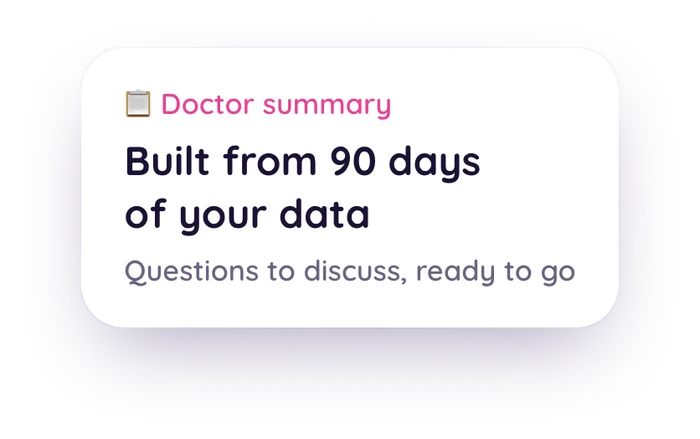
- Health summary you can export for appointments
- Wearable sync (Apple Watch, Oura, Garmin) pulls in sleep and temperature automatically
- Cycle tracking that keeps logging when cycle lengths change
Strengths
- Covers the full fibroid record in one app: dates, daily flow, pain intensity, fatigue, and custom symptoms
- The appointment summary turns months of logs into something you can hand over instead of scrolling through a calendar
- Correlation insights connect symptoms to sleep and energy, which helps you describe patterns, not just events
- No ads and no data selling
Limitations
- iOS only, with no Android version yet
- Newer app with a smaller community, so there are no in-app discussion forums
- Some advanced features require premium ($9.99/month or $49.99/year as of October 2026)
Who Should Choose This
- You want one app for the whole record instead of a tracker plus a notes app
- Bringing organized data to appointments is your main goal
- You wear an Apple Watch, Oura, or Garmin and want sleep and energy context filled in automatically
Pricing
Free (core features), Premium $9.99/month or $49.99/year as of October 2026[10]. Available on the iOS App Store.
Worth Noting: Non-App Options
An app isn't the only way to build this record. Many gynecology clinics and health systems offer printable bleeding diaries, and some doctors hand out their own pictorial charts for logging flow. If your doctor gives you a specific chart, use theirs.
A paper journal or a plain notes app also works if you'll actually use it daily. The record matters more than the tool. Apps mostly add convenience: reminders, calendar views, and a history that organizes itself.
Feature Comparison Table
Here's how the six apps compare on the features that matter for fibroid and heavy period tracking. Full support is ✅, partial or basic is ⚠️, premium-only is 🔒, and not available is ❌.
| Feature | Clue | Flo | Bearable | Apple Health | Ovia | Veya |
|---|---|---|---|---|---|---|
| Daily Flow Heaviness Levels | ✅ Multiple levels | ✅ Multiple levels | ⚠️ Basic module | ✅ 3 levels + spotting | ✅ Multiple levels | ✅ Multiple levels |
| Pain Logging with Intensity | ⚠️ Preset, no scale | ⚠️ Preset, no scale | ✅ Custom + ratings | ⚠️ Present/absent only | ⚠️ Preset list | ✅ Intensity ratings |
| Custom Symptoms | ✅ Custom tags | ❌ Notes only | ✅ Fully custom | ❌ | ❌ Notes only | ✅ Custom symptoms |
| Fatigue / Energy Tracking | ✅ Energy category | ✅ Fatigue option | ✅ Energy ratings | ✅ Fatigue option | ✅ In symptom list | ✅ Daily rating |
| Bloating / Pressure Logging | ✅ Preset + tags | ✅ Preset | ✅ Custom | ⚠️ Bloating preset | ✅ Preset | ✅ Preset + custom |
| Charts / History View | ⚠️ Deeper in Plus | 🔒 Reports premium | ✅ Trends + impacts | ⚠️ Basic log | ✅ Basic charts | ✅ Included |
| Data Export / Doctor Report | ⚠️ Screenshots | 🔒 Premium report | 🔒 Premium export | ⚠️ Raw export only | ⚠️ Screenshots | ✅ Health summary |
| Handles Changing Cycle Lengths | ⚠️ Predictions drift | ⚠️ Predictions drift | ⚠️ No predictions | ⚠️ Simple predictions | ⚠️ Predictions drift | ✅ Keeps logging |
| Wearable / Health Sync | ⚠️ Basic Apple Health | ⚠️ Basic | ⚠️ Limited | ✅ Native hub | ⚠️ Limited | ✅ Watch, Oura, Garmin |
| Platforms | iOS + Android | iOS + Android | iOS + Android | iOS only | iOS + Android | iOS only |
| Price of Relevant Tier | Free / paid Plus | Free / paid Premium | Free / $34.99 yr | Free | Free | Free / $9.99 mo (Oct 2026) |
| Privacy Basics | ✅ GDPR, Berlin-based | ⚠️ Past settlements, Anonymous Mode added | ✅ GDPR-compliant | ✅ Encrypted when locked; you control sharing | ⚠️ Review policy | ✅ No ads, no selling |
One honest note on predictions: with fibroids changing your cycle length, don't count on any app's predictions. Period tracker predictions generally get less reliable when cycles vary. Judge these apps on the record they build, not the dates they guess.
When Is Another App the Better Choice?
No single app wins this category, including ours. The right pick depends on your platform, your main symptom, and how much setup you'll tolerate. Here's the honest routing:
Choose Clue if:
- You want flow logging plus custom tags and a GDPR-based privacy policy
- You prefer a focused cycle tracker without extra modules
- You need Android support
Choose Flo if:
- You want a preset symptom library with no setup
- Community and educational content matter to you
- You're comfortable using Anonymous Mode
Choose Bearable if:
- Pain and fatigue intensity are your main concern
- You track other conditions alongside fibroids
- You don't mind building your own tracking setup
Choose Apple Health if:
- You want to start tonight with zero setup and zero cost
- Dates, flow levels, and preset symptoms are enough
- You might switch apps later and want the data to carry over
Choose Ovia if:
- You like a guided daily check-in
- Fertility or pregnancy planning sits alongside your fibroid tracking
- You need Android support
Choose Veya if:
- You want flow, pain, fatigue, sleep, and custom symptoms in one app
- An exportable appointment summary is your main goal
- You're on iPhone and okay with a newer, smaller app
And if pelvic pain, not bleeding, is the symptom that dominates your cycle, it's worth reading our endometriosis app comparison too. Several pain-first trackers there overlap with this list.
Frequently Asked Questions
Is there an app to track heavy periods?
Most period tracking apps let you log flow heaviness each day on a scale like light, medium, or heavy, and some let you add your own labels. No app can measure how much you actually bleed, so treat it as a relative record of how each day compares to what's normal for you. That day-by-day record is exactly what a doctor finds useful at an appointment.
Can a period tracker help with fibroid symptoms?
It can, even though almost no period tracker was built specifically for fibroids. A general tracker that handles day-by-day flow logging, pain intensity, fatigue, bloating, and changing cycle lengths covers the core of what people with fibroids want to record. The main gaps to check for are custom symptom options and a way to export your history for appointments.
What should I track if I have fibroids?
Track your cycle start and end dates, flow heaviness day by day on your own relative scale, pain location and intensity, fatigue and energy, bloating or pressure sensations, and days when symptoms changed your plans. A consistent record across 2 or 3 cycles gives your doctor a much clearer picture than memory alone. What to do with that record is a conversation for your doctor, not an app.
Is there a dedicated app just for uterine fibroids?
Not really. As of October 2026, we didn't find an app built only for fibroid tracking. The practical approach is to use a general cycle or symptom tracker that handles detailed flow logging, pain, custom symptoms, and data export, which is what this guide compares.
How many cycles should I track before a doctor's appointment?
A record of your last 2 or 3 cycles is a useful starting point, and a longer history is even better. The goal is to show patterns rather than a single bad day: which days were heaviest, where the pain was, and how your cycle length has changed. Bring whatever you have. An incomplete record still beats recalling from memory.
How do I share my tracking data with my doctor?
It depends on the app. Some apps generate a summary or report you can show or send, some let you export your history, and for others the simplest route is screenshots of your calendar and symptom charts. Even reading from your phone during the appointment works. The format matters less than having dated, day-by-day entries.
Final Thoughts
There's no fibroid-specific pick here because we didn't find a fibroid-specific category. What exists is a handful of good general trackers that each cover part of the job. Clue for flow detail and privacy, Flo for its symptom library and community, Bearable for pain and fatigue intensity, Apple Health for a free zero-setup start, Ovia for guided daily check-ins, and Veya if you want the whole record plus an appointment summary in one app.
Whichever you pick, the record is the point. Dates, daily flow on your own scale, pain, fatigue, and the days symptoms got in your way. Two or three cycles of that, and your next appointment starts from evidence instead of memory.
Related Articles
- Best Endometriosis App 2026: Pain, Flare & Surgery Trackers
- Do I Have Endometriosis? Signs, Symptoms & What Helps
- Best Chronic Symptom Tracker App for Women 2026: PMDD, Endo & PCOS
- Why Is My Period Late? (When You're Not Pregnant)
Your appointment is easier with a written record of your last 2 to 3 cycles
Appointments are short, and "it's been heavier lately" is hard for a doctor to act on. A dated, day-by-day log of flow, pain, and energy turns the same appointment into a conversation about your actual pattern.
Start a 3-Cycle Symptom LogLogging takes under a minute a day. By the second cycle you can start comparing the same week across months.
Still deciding? Pick any app on this list and log your next cycle. You can always switch, and the record comes with you.
References
- Office on Women's Health. "Uterine fibroids." U.S. Department of Health and Human Services. womenshealth.gov
- Bearable. "Pricing." Accessed October 9, 2026. bearable.app
- Clue (BioWink GmbH). "Privacy Policy." Accessed October 9, 2026. helloclue.com
- Clue on the App Store (in-app purchase prices). Accessed October 9, 2026. apps.apple.com
- Federal Trade Commission. "Developer of Popular Women's Fertility-Tracking App Settles FTC Allegations That It Misled Consumers About the Disclosure of their Health Data." January 13, 2021. ftc.gov
- Labaton Keller Sucharow. "Frasco v. Flo Health Inc." (settlement amount, class period, final approval hearing). Accessed October 9, 2026. labaton.com
- Flo on the App Store (Anonymous Mode, Premium prices). Accessed October 9, 2026. apps.apple.com
- Apple. "Health and Privacy." Accessed October 9, 2026. apple.com
- Femtech Insider. "Labcorp acquires Ovia Health." August 13, 2021. femtechinsider.com
- Veya (Go Go Gaia) on the App Store (subscription prices). Accessed October 9, 2026. apps.apple.com